
When a client leaves something with you, record the item, the serial number, and whether it has been collected.
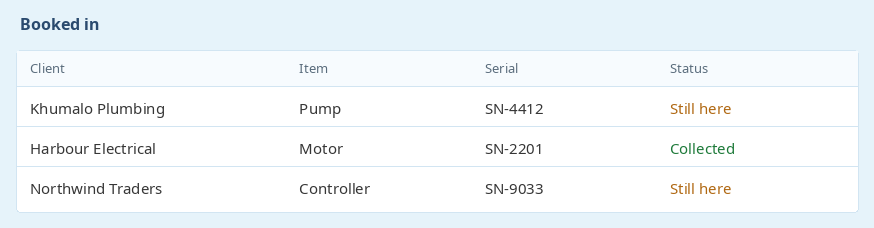
Each booked-in item sits on the job. You can see the description, the serial number, and whether it is still here or has been collected. The list can be filtered to one client, so a counter can answer "is my pump still here?" without opening every job.
Collected items stay on the job as a record. They drop out of the "still here" view, and the serial number remains if you need it later.
Add pictures from a phone or tablet when the item is booked in, including damage that was already there. Those attachments stay with the item and with the job card.
The same attachment list used on other documents is used here, so a photo, a PDF, or a note can sit on the item. That is the record if there is a dispute about the condition when it arrived.

The workshop tools can print a QR code for a booked-in item. Stick it on the item, then scan it later to open the job it belongs to.
The name "booked in item" can be renamed if your workshop calls them something else. The list, the photos, and the QR labels keep working under the new name.

Ready to get started? Sign Up for Free
previous Job card checklistsnext Pricing
Gareth Perkins - CTO - B3 IT SolutionsFantastic System
Hi Adriaan
Yes it is. You guys have a fantastic system here by the way