
Keep a record of the equipment you own and look after: photos, tags, attachments, and the service history, in the same place as the rest of the business.
An asset has its own page in the business. You can see which assets you have, search them, and open one without hunting through documents.
The list is the equipment itself, not the client it was last used for. Open the asset when you need its photos, tags, or the last service, then go back to the document that used it.
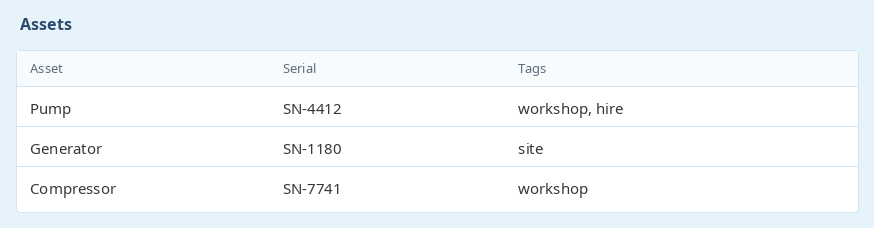
Add photos and other attachments to an asset. Tags can be set on the asset, and those tags are included when you export and import assets, so a list can move in and out of a spreadsheet without losing them.
Attachment storage depends on the plan. The pricing table shows the allowance for each account. Importing a spreadsheet brings the tags back with the asset, so a round trip through Excel does not strip them.

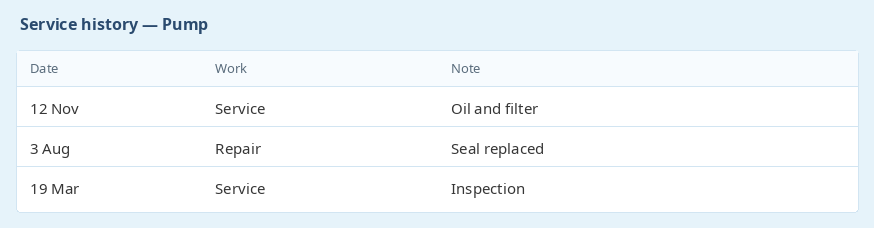
Maintenance and services stay on the asset, so the next person can see what was done last time instead of relying on a paper file.
Each service is a record on that asset. Open the asset to see the visits, instead of searching back through old documents.
Ready to get started? Sign Up for Free
previous Shopifynext Job card checklists
Hentie Loots - Gemini IT SolutionsExcellent service!
Thank you for the quick reply, even if it is Sunday. Excellent service!
Enjoy the rest of your weekend.